Google Chrome

The browser that gets more done

Download Chrome

For Windows 11/10 64-bit

I want to update Chrome

By downloading Chrome, you agree to the Google Terms of Service and Chrome and ChromeOS Additional Terms of Service .

Meet Gemini in Chrome

Gemini in Chrome

Figure it out, right in your browser

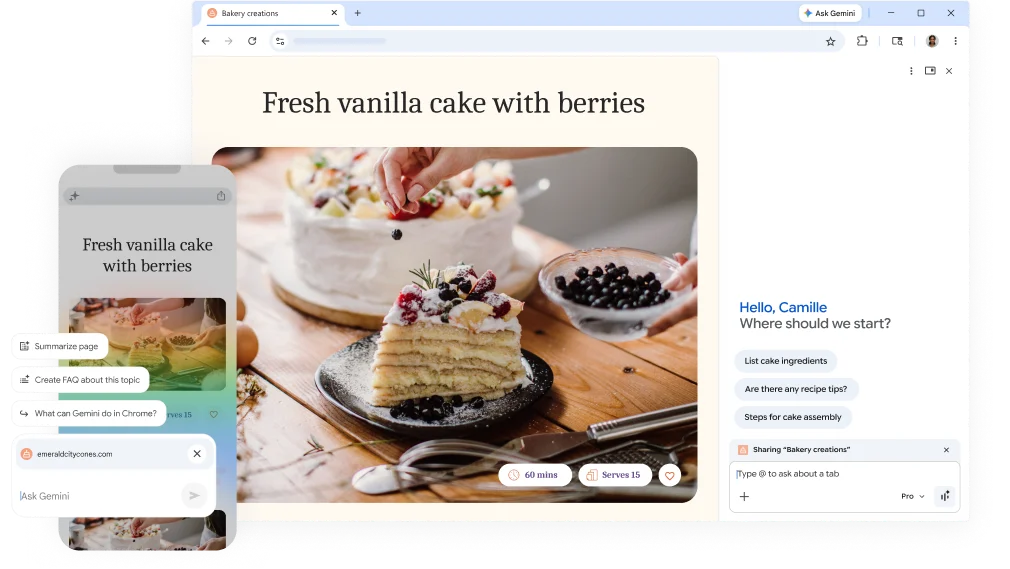
From big tasks to small to-dos, Gemini in Chrome is your partner in figuring it all out. You can use Gemini in Chrome to visualize information, find the right product instantly, or even check your calendar – all from your open tab.

Explore Gemini in Chrome

Browsing boosted

with built-in

A I
Gemini in Chrome browsing with built-in AI

Gemini in Chrome: Your AI browsing assistant

Gemini in Chrome helps you easily understand content on the web and get things done using the context of your open tabs and browsing history. Plus, with auto browse, Gemini in Chrome can do your tedious tasks for you* – from shopping and reservations, to research and more.

Explore Gemini in Chrome

Nano Banana – Gemini in Chrome

Make online inspiration your own creation
Make online inspiration your own creation

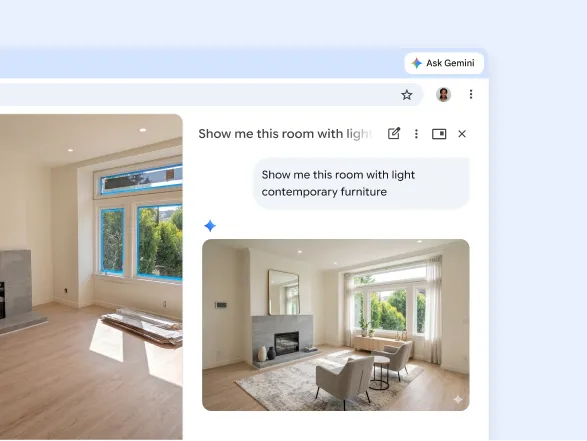
Create from what inspires you

Use Gemini in Chrome to transform ideas, images, and inspiration into something new without leaving your current tab.

Explore Nano Banana
Skills – Gemini in Chrome

Your most helpful prompts in one click

Your most helpful prompts in one click

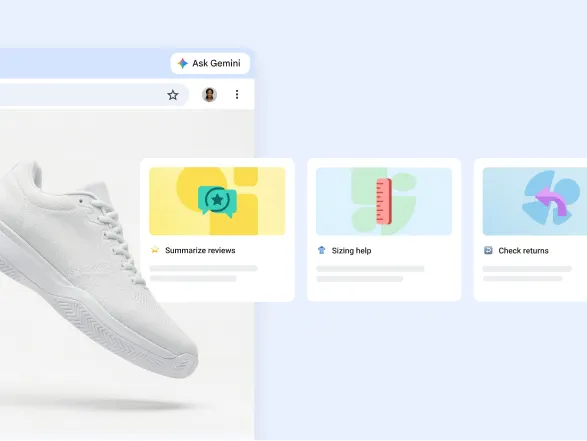
Use helpful skills instantly

Access frequently used prompts for summaries, sizing help, shopping guidance, returns, and other everyday tasks.

Explore Gemini Skills

Google Search

Ask anything with AI Mode

AI Mode is our most powerful AI search, built right into Chrome. Ask your toughest questions from the place where you already search, and keep the conversation open alongside your tabs as you dive deeper.

Explore AI Mode

Discover the latest

updates from Chrome

Updates

Automatic updates

There’s a new Chrome release every four weeks, making it easy to have the newest features and a faster, safer web browser.

Learn about automatic updates
Chrome automatic updates

Frequently asked questions

Open Chrome settings, select Default browser, and choose the option to make Chrome your default. You can also update this from your device’s default apps settings.

You can change your theme, background, shortcuts, toolbar options, homepage, and startup behavior from Chrome’s customization and settings panels.

Chrome includes Safe Browsing, Safety Check, site permissions, cookie controls, tracking settings, password alerts, and other privacy and security options.

Google Password Manager can save passwords, suggest strong credentials, fill sign-in forms, sync passwords across devices, and warn you about compromised passwords.

Visit the Chrome Web Store, open the extension you want, select Add to Chrome, and review the requested permissions before confirming.

Chrome usually updates automatically. To check manually, open the Chrome menu, go to Help, select About Google Chrome, and relaunch the browser when an update is ready.

Take your browser with you

Download Chrome on your mobile device or tablet and sign into your account for the same browser experience, everywhere.

Download Chrome